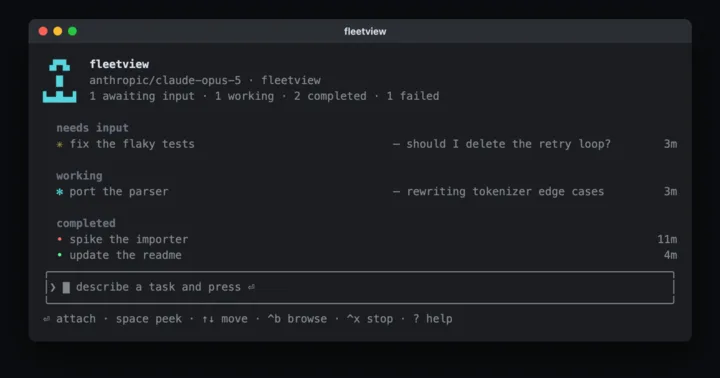
I run a lot of coding agents in the background, and I kept losing track of them. I'd miss which session was waiting on a question, which one had finished, and which one was stuck on a permission prompt.
Claude Code solves this with agent view, a roster of every background session and what each one needs from you. Agent view only exists inside Claude Code, though, and at work I use a GitHub Copilot seat.
So I built fleetview, a port of agent view that puts sessions from opencode, Claude Code, and GitHub Copilot CLI on one screen. It's one of a set of tools I build for working with agents. fleetview runs several agents at once, and simon-dash, a local dashboard for my Jira cards and pull requests, shows me what they produce.
What it does
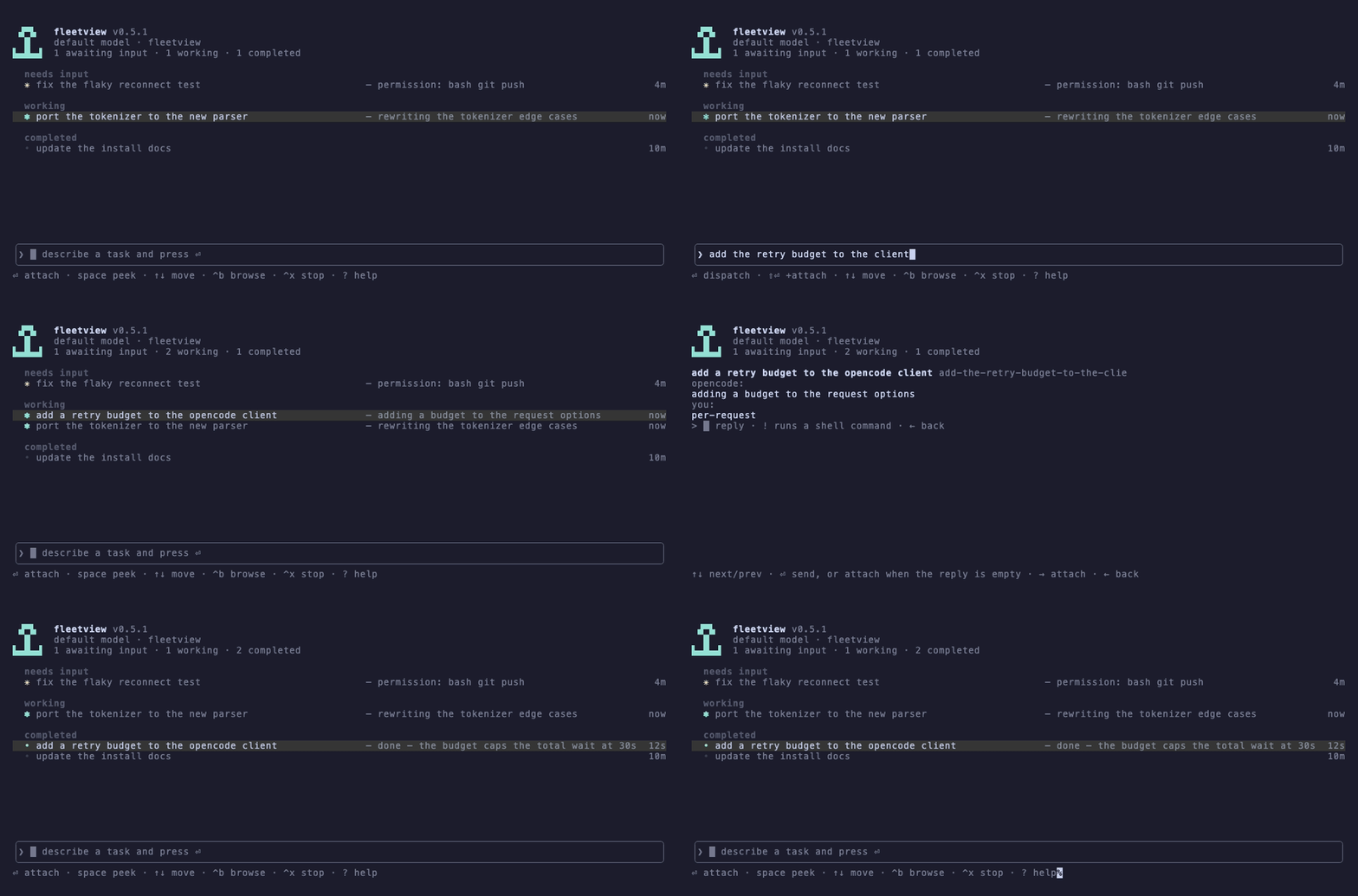
fleetview is a live roster of your sessions with an input at the bottom. Type a task there and press enter to start a new session. Sessions are grouped by state, with the ones that need input on top, then the ones working, then the completed ones. Each row shows the session's latest output or the prompt it's waiting on, built without a model call, plus its PR number if its branch has one.
To jump into a session, click its row or arrow down to it and press enter. You land inside the session itself, and ^z takes you back to the roster (in opencode, ← on an empty prompt works too).
Close it whenever you want
Closing or interrupting fleetview never stops a background session. Each session runs as its own process and the roster is saved to disk, so reopening fleetview brings back every session, including the ones that kept working while it was closed. You never have to remember an id to resume something later.
Every task gets its own worktree
An opencode task started inside a git repository gets its own worktree and branch before the session begins. Several agents can work in one repository without touching each other's files, and you merge each branch when its work is done.
How it compares to agent view
fleetview copies agent view's state groups, most of its keys, its single input box, and its worktree isolation, and the docs note where it differs.
opencode sessions get every feature, including live streaming and worktree isolation, because they run on opencode's server. Claude Code and Copilot sessions run as headless jobs that fleetview watches from outside, and they work directly in your checkout.
For opencode sessions, fleetview bg "<prompt>" starts a session from any terminal and fleetview --json reports states with the same words as claude agents --json, so scripts written for agent view can read it too. When fleetview starts the opencode server, it protects it with a random password, since that server can run shell commands.
Try it
npx fleetviewThat runs it without installing, and npm i -g fleetview installs it. It needs Node 24 or newer on macOS or Linux, plus opencode, which the roster runs on even if you mostly use Copilot. Claude Code and Copilot CLI are optional. At work I run it both ways, through opencode with Copilot as the model provider and with Copilot CLI sessions directly. The browse view (^b) lists every opencode project and session you already have.
fleetview is at version 0.9.0 under the ISC license. If you run several agents at once, tell me what's missing in the issues.