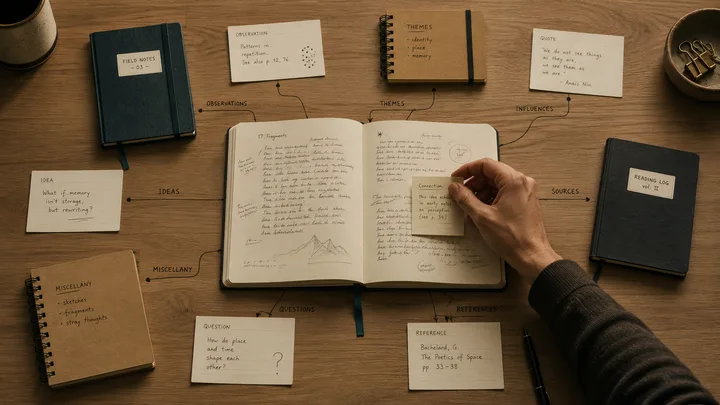
Now when I open a Claude Code session on a project I have not touched in two weeks, it knows where things stand before I type anything: the open decisions, the last thing I changed, what is blocked. I never paste any of that in. It reads the state from my notes, because every earlier session wrote it back there as we worked.
That is the payoff, and it comes from pairing two tools. Persistent memory matters for any project bigger than a single session. Context windows have limits, conversations end, and Claude's built-in auto-memory is good for facts about you, not for the state that moves day to day. Markdown is the natural place to put that state. LLMs read and write it fluently, and Obsidian handles linking, search, and frontmatter across thousands of notes.
The setup has two halves. The first keeps the vault current automatically as you work, and there is a copy-paste prompt at the end that wires it for you. The second keeps the vault safe by syncing it offsite, which is a couple of extra hooks I show on their own.
What's wired up
Four pieces:
- An index of every domain in your vault, grouped by life area, with a one-line description and status badge per row. It works as a routing layer, not a dashboard: each row points Claude at the domain's entry file so it jumps straight there instead of browsing. Claude reads it before doing anything.
- A boot hook that loads two things at the start of every session: the index, and a short always-on facts file, a handful of things I never want a session to miss (who I am, the standing constraints), small enough to keep loaded every time.
- A capture hook that fires before Claude responds to each message, reminding it to scan for new info and route it to the right note before answering. This is the load-bearing piece.
- Per-folder rulebooks in any active or substantial domain, telling Claude where things go inside that area.
Plus a fallback inbox at the vault root for captures that do not fit any existing domain. In a manual second-brain setup the inbox is the front door. Here it is the back door. Claude reads every rulebook on every turn, so routing happens up front. If your inbox starts filling up, the signal is that a domain is missing.
None of these parts are new. Map of Content is an Obsidian community pattern, rulebooks and hooks are documented Claude Code features. The pairing is the part worth writing up.
What you see in a session
When you send a message, the hook prepends a short reminder telling Claude to look for new info and route it before replying. That reminder is the load-bearing string in the whole setup, so it is worth seeing in full. Mine reads:
Scan the user's message for new facts, decisions, links, names, numbers, status updates, or preferences. If anything new appears that the next session would want to know, write it before finishing this turn. Routing priority, in order: (1) an existing domain note that already covers the topic, (2) a new file inside the relevant domain folder, (3)
sessions/YYYY-MM-DD.mdfor today-only logs, (4)inbox.mdonly when the capture genuinely does not fit any existing domain. Also: if a domain's status, entry point, or one-line description changes meaningfully, updateindex.mdin the same turn. The vault is the brain; the conversation is ephemeral.
Claude reads your message against that, decides whether anything is worth keeping, and uses its file-editing tools (the same ones it uses for code) to update the right note.
In a transcript, that looks like this:
You: Just got off the call with Genisys. Refi is closing on the 12th.
Claude: Updated
mortgage-research/status.mdwith the new closing date. Anything else from the call worth tracking?
The edit lands in the same turn as the answer, visible in the conversation, with no separate triage step.
If the message is a today-only log, Claude appends it to today's session note. If it genuinely fits nowhere, it lands in the inbox.
Keeping it durable
Those four pieces make the brain. Keeping that brain alive is a separate concern, and the same hook idea handles it. A brain that lives only on one laptop is one spilled coffee away from gone, so two more hooks sync the whole vault over git. I wire these globally rather than per-vault so the behavior is the same for every project.
The session-start hook pulls first. It rebases the local vault onto the remote before any work begins, so I never start a session against stale notes. The session-end hook pushes: if the working tree is dirty, it commits a hostname-stamped snapshot, rebases, and pushes to two remotes, GitHub and a self-hosted Gitea box on my homelab. Two remotes because the whole point is durability, and one of them being on hardware I control means a vendor outage can't lock me out of my own notes.
It never force-pushes. On a real rebase conflict it aborts, keeps the local commit, logs it, and leaves the merge for me to resolve by hand. The whole script is written to be non-fatal, so a sync hiccup can degrade to "commit stayed local" and never blocks a session.
# obsidian-vault-sync.sh <pull|push>
VAULT="$HOME/dev/notes"
cd "$VAULT" || exit 0
HOST="$(hostname -s)"

case "${1:-}" in
  pull)
    git pull --rebase --autostash -q origin main || git rebase --abort
    ;;
  push)
    git add -A
    git diff --cached --quiet && exit 0   # clean, nothing to push
    git commit -q -m "auto: $HOST $(date '+%Y-%m-%d %H:%M') snapshot"
    git pull --rebase --autostash -q origin main || { git rebase --abort; exit 3; }
    git push -q origin main
    ;;
esac
These live alongside the index and capture hooks rather than replacing them, since Claude Code runs every hook registered for an event. The copy-paste prompt later in this post does not set them up, on purpose, so wiring them is a manual two lines pointed at that script:
{
  "hooks": {
    "SessionStart": [{ "hooks": [{ "type": "command", "command": "sh ~/.local/bin/obsidian-vault-sync.sh pull" }] }],
    "Stop":         [{ "hooks": [{ "type": "command", "command": "sh ~/.local/bin/obsidian-vault-sync.sh push" }] }]
  }
}
origin carries two push URLs (one GitHub, one Gitea), so a single git push fans out to both. The vault writes itself during the session, and the end of the session ships it offsite, without either step being something I have to remember.
A few weeks in
I built this a few weeks ago, and the real test was whether I would stop noticing it. I have. It commits about a dozen times a day on its own, captures route to the right domain note without me steering them, and after three weeks my fallback inbox holds exactly one item, which is the sign the routing is working. The vault, not the chat history, is the first place I look for project state now.
The one rough edge is the capture hook firing on every message. Because it does, Claude narrates what it wrote to the vault in almost every reply. Most of the time that's a useful receipt, but across a long working session it stacks up into a layer of bookkeeping chatter I don't always want to read. What I actually want is for it to capture silently and only speak up when it's unsure where something belongs.
So I added a second layer to take the pressure off the first. A background job reads each finished session on its own schedule, distills anything worth keeping, and drops it into a review queue, all without narrating a word into the session I'm actually working in. It also widened the net. The in-session capture only fires when I'm working inside the vault, but most of my work happens in other repos, and the background pass reads those sessions too, so a decision I made while debugging something unrelated still finds its way home. The per-message reminder stays for live, in-the-moment capture; the background pass catches everything else after the fact. It's new and I'm still watching what it chooses to keep, but the shape is right: capture loudly when that helps, quietly when it doesn't.
The prompt
This wires the capture brain in one shot. Run it in a new Claude Code session at your vault root. It sets up the index, the inbox, and the capture hooks; the two sync hooks from "Keeping it durable" are a separate add on top.
I want you to wire my Obsidian vault into a working brain for Claude Code, the way the post at jcosta.tech describes. The setup has a few pieces:

1. An `index.md` at the vault root that lists every top-level domain folder, grouped by life area (or by another scheme if you propose one), with a one-line description and a status badge. This is the front door.

2. An `inbox.md` at the vault root as a fallback for captures that genuinely do not fit any existing domain. NOT the default destination. The capture hook (below) routes new info directly to the right domain note. Inbox should stay near-empty in normal operation; growth signals that a domain is missing or under-articulated.

3. Three Claude Code hooks in `.claude/settings.local.json`:
   - SessionStart: emits the contents of `index.md` as `additionalContext`.
   - UserPromptSubmit: injects a capture-check reminder. The reminder must specify a routing priority: (1) existing domain note, (2) new file in the right domain folder, (3) `sessions/YYYY-MM-DD.md` for today-only logs, (4) `inbox.md` only as a last resort. Inbox is a fallback, not the default.
   - Stop: writes a stop marker to a log file. The capture-check reminder belongs on UserPromptSubmit, not here. Stop fires after Claude has already answered, and on every turn rather than at session end, so it is too late to shape the reply you are reading. UserPromptSubmit fires before Claude responds, which is exactly when the reminder needs to land.

Hook scripts go in a tracked `scripts/` directory at vault root so they sync across machines via git. The settings file itself stays per-machine.

Do these things in order:

1. Survey the vault. List top-level folders only. Do NOT recurse into subfolders, or you will spend the whole turn surveying a large vault. For each top-level folder, count files at depth 1, check whether it has a `CLAUDE.md` or `overview.md`, and flag anything obviously out of place at the root (orphan files, junk, non-kebab-case names).

2. Tell me what you found and propose:
   - The grouping for `index.md` (life area is my default; suggest something else if you see a better one).
   - Which domains need a `CLAUDE.md` added (rule of thumb: any domain with five or more files of substance, or any clearly active project).
   - Any orphan root files and what to do with them: move to a domain folder, or move to `inbox.md` for me to triage. Do NOT delete files in this prompt; deletion needs a separate explicit request from me.

3. After I confirm direction, write `index.md` first, then `inbox.md`, then the per-domain `CLAUDE.md` files. The per-domain CLAUDE.md should be short: what's there, conventions specific to the domain, what does not belong. No prose padding. If existing CLAUDE.md files are present, match their tone; otherwise default to terse bullet lists.

4. Write the three hook scripts. SessionStart and UserPromptSubmit are bash wrappers around a Python heredoc that emits `{"hookSpecificOutput": {"hookEventName": "...", "additionalContext": "..."}}`. The Stop script is a plain bash logger that appends a timestamp to `~/Library/Logs/vault-claude-stops.log` and exits clean (it only needs to log; the capture reminder is delivered by UserPromptSubmit). Use `#!/usr/bin/env bash`, `set -euo pipefail`, and `python3` (assume it's on PATH; warn me if it isn't). Make each script executable. Smoke-test by piping `{}` into each: SessionStart and UserPromptSubmit should produce valid JSON; Stop should produce no output and exit zero. SessionStart should only smoke-test cleanly after `index.md` exists, so run that one last.

5. Wire all three hooks in `.claude/settings.local.json` under a top-level `hooks` key. Validate the file is parseable JSON after the edit.

6. Update root `CLAUDE.md` to add a "Capture and Update Protocol" section that tells future sessions to read `index.md` first, capture new info during the session, update domain docs when state changes, and keep `index.md` itself current.

7. Hand back a summary: what you added, what you moved (with my confirmation), what issues you surfaced for me to decide on.

Important rules:

- No file deletion in this prompt. Only additions and moves.
- No hook may emit `decision: "block"` or exit non-zero on a path that drops user input. UserPromptSubmit blocking would silently swallow my prompts; Stop blocking would trap me in a loop.
- If I have an auto-commit setup (launchd, cron, git hook), say so in your summary so I know my changes will land automatically.