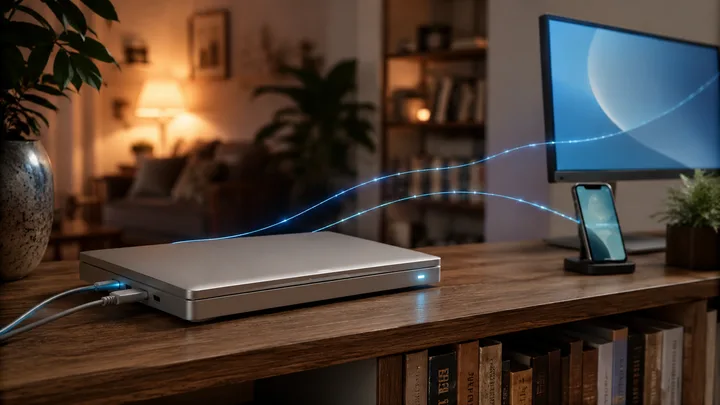
My 2019 MacBook Pro had been sitting in a drawer for a year. Now it runs closed, plugged into power and ethernet, on a shelf in the house, and it is the single most useful machine I own. It is always on, I can talk to it from my phone, and it runs Claude all day whether I am at my desk or not. I think of it as my own open Claude, an always-on Claude that I control, and it cost me an old laptop and an afternoon.
The thing that makes an always-on Claude worth building is what "always on" actually buys you. It can do scheduled work. Cron jobs, a weekly review that runs Saturday morning, a job that checks something overnight and has an answer waiting for me. It has access to my tools and the internet, so it can actually do things, not just talk about them. And because it never goes to sleep, I can reach it from anywhere and pick up exactly where I left off.
The trade-off everyone hits
Most people who want this end up paying for it by the token. To run an agent unattended, on a schedule, reaching out to tools and the web, the standard path is an API key and usage-based billing. That is fine until a runaway loop or a chatty cron job turns into a bill you did not expect. I wanted the always-on behavior on my Claude Max subscription instead, so the cost is flat and predictable no matter how much the machine works while I sleep.
Running Claude Code on a machine I own, signed in with my subscription, gets me there. The laptop does the work, the subscription covers it, and there is no per-token meter running in the background.
The build
The hardware side is almost boring, which is the point.
I hardwired the laptop to power and to the network over ethernet so it never depends on Wi-Fi or a battery. Then I set it to never sleep, even with the lid shut, so it keeps running in closed clamshell mode on the shelf. On macOS that last part is one setting while the machine is on power:
sudo pmset -c disablesleep 1With that, I can close the lid and the machine stays awake, no external display required.
For remote access I used two open tools that do one job each. Tailscale puts the laptop on a private network I can reach from any of my devices, anywhere, without opening ports or exposing anything to the public internet. tmux keeps my Claude session alive on the laptop independent of any connection, so I can attach to it, drop off, and reattach later to the same running session:
# on the laptop, start a long-lived session
tmux new -s claude

# from anywhere on the tailnet, reattach to it
ssh claude-mbp
tmux attach -t claude
On my phone I use the Moshi app to SSH in over the tailnet and attach to that same tmux session. The phone becomes a real terminal into the always-on machine, not a watered-down chat client.
The part that actually unlocked it
None of this is new. People have run headless machines and SSHed into tmux for years. The reason an always-on Claude was annoying rather than delightful was session sprawl. You would end up with a pile of terminal windows, one per Claude session, sometimes spread across more than one machine, and just keeping track of which window was which became its own chore. The setup worked, but the interface was a mess.
What changed that for me is Claude agents. Now I attach to a single terminal and from there I can see all my sessions, start a new one, jump between them, and close them out, all from one place. The mental overhead of "which window, which machine, which task" mostly disappears. It is the difference between a drawer full of loose tools and a single panel that manages all of them.
One detail pushed me to consolidate everything onto the one machine. Sessions live where you create them. In my experience the lists do not follow you from laptop to laptop, because Claude Code keeps each session's history locally. Start some agents on your personal computer and more on the home lab node, and you get two separate sets and the fragmentation you were trying to escape.
So I stopped spreading them around. I run Claude agents only on the home lab MacBook Pro, and every device just remotes into it. From my desk I attach a terminal. From my phone I attach through Moshi. Same agents, same running sessions, same history, because only one machine is ever doing the work. One brain, and all my screens are just windows into it.
What this gets me day to day
The shelf laptop runs a scheduled review of my trading strategy every Saturday morning whether I remember it or not. If I think of something on a walk, I open Moshi, attach to the running session, and pick up the exact conversation I left at my desk. When I sit back down at my computer, it is all still there. The machine never sleeps, never loses state, and never charges me by the token for the privilege.
If you have an old laptop in a drawer, this is a good use for it. Plug it into power and ethernet, keep it awake with the lid closed, put it on Tailscale, run your sessions inside tmux, and point Claude agents at that one machine. You get an always-on Claude you own, reachable from everywhere, on a subscription instead of a meter.