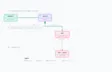
Back in 2022, I wrote Building a Traffic Light React App exploring how to model UI state as a finite state machine. The key insight was naming states by their business meaning rather than their visual representation, like PriorityStraight instead of red-light-green-arrow.
That post used class components and MobX. This post takes the same core ideas (state machines and domain-driven naming) and shows how to apply them in modern React with function components, hooks, and TypeScript discriminated unions.
The Problem: Boolean Soup
Here's a typical React component managing a blog post editor:
const [isLoading, setIsLoading] = useState(false);
const [isSaving, setIsSaving] = useState(false);
const [isPublishing, setIsPublishing] = useState(false);
const [hasError, setHasError] = useState(false);
const [errorMessage, setErrorMessage] = useState('');
const [showPublishModal, setShowPublishModal] = useState(false);
const [showDiscardModal, setShowDiscardModal] = useState(false);
const [showSuccessMessage, setShowSuccessMessage] = useState(false);
const [isDirty, setIsDirty] = useState(false);
Nine useState calls. Nine independent booleans.
Here's the problem: With 9 booleans, there are 2⁹ = 512 possible combinations. But how many are actually valid UI states? Maybe 9 or 10.
That means ~97% of possible states are invalid. Can both modals be open? Can we be saving AND publishing? The type system allows it. Your UI doesn't. This gap is where bugs live.
The Solution: One State to Rule Them All
What are the actual states our editor can be in?
type EditorState =
  | { kind: 'editing'; draft: PostData; original: PostData }
  | { kind: 'saving-draft'; draft: PostData; original: PostData }
  | { kind: 'draft-saved'; draft: SavedPostData; original: PostData }
  | { kind: 'save-error'; draft: PostData; original: PostData; error: string }
  | { kind: 'confirming-publish'; draft: PostData; original: PostData }
  | { kind: 'publishing'; draft: PostData; original: PostData }
  | { kind: 'publish-error'; draft: PostData; original: PostData; error: string }
  | { kind: 'confirming-discard'; draft: PostData; original: PostData }
  | { kind: 'published'; post: SavedPostData };
Nine explicit states. One useState call:
const [state, setState] = useState<EditorState>({
  kind: 'editing',
  draft: { title: '', content: '' },
  original: { title: '', content: '' },
});
Why This Works
1. Impossible States Are Impossible
With boolean soup, nothing prevents showPublishModal and showDiscardModal from both being true. With a discriminated union, you can only be in ONE state at a time. The type system enforces it.
2. Domain-Driven State Names
Just like naming traffic light states PriorityStraight instead of red-light-green-arrow, we name our states by what they mean, not what they look like:
'saving-draft'instead ofisSaving && !isPublishing && !showModal'confirming-publish'instead ofshowPublishModal && !showDiscardModal
When you read state.kind === 'confirming-discard', you know exactly what's happening.
3. Each State Carries Its Context
Notice how save-error includes an error property, but editing doesn't? Each state carries only the data it needs. No stale errorMessage hanging around from a previous failed save.
4. Exhaustive Switch Statements
TypeScript's exhaustive checking ensures you handle every state:
const assertNever = (x: never): never => {
  throw new Error(`Unexpected state: ${x}`);
};

switch (state.kind) {
  case 'editing':
    // ...
  case 'saving-draft':
    // ...
  // If you forget a case, TypeScript errors!
  default:
    return assertNever(state);
}
Add a new state to the union? TypeScript shows errors everywhere you forgot to handle it.
5. Explicit Transitions
State transitions become clear, intentional functions:
const openPublishConfirmation = () => {
  switch (state.kind) {
    case 'editing':
    case 'draft-saved':
      setState({
        kind: 'confirming-publish',
        draft: state.draft,
        original: state.original,
      });
      return;

    // All other states: can't open publish modal
    case 'saving-draft':
    case 'publishing':
    // ...
      return;

    default:
      assertNever(state);
  }
};
You can see exactly which states allow transitioning to confirming-publish. This is your state machine, defined in code.
Try It Yourself
I've built a live demo with both approaches side-by-side:
Interact with both editors. Notice how the "After" version displays its current state, so you always know exactly what's happening.
When To Use This Pattern
This pattern shines when:
- You have 3+ boolean states that interact
- States are mutually exclusive (one modal at a time, one async operation)
- You're tracking loading/success/error cycles
- You find yourself writing conditions like
if (!isLoading && !isSaving && !hasError)
For a single isOpen boolean? Overkill. For anything resembling "boolean soup"? Worth it.
What About XState?
XState is excellent for complex state machines with visualization tools and formal semantics. But this pattern requires:
- Zero dependencies
- Just TypeScript +
useState - Knowledge you already have
Start here. Graduate to XState when you need it.
Conclusion
The next time you reach for a fourth useState<boolean>, stop and ask: what are the actual states my UI can be in?
Model those states explicitly. Name them by their domain meaning. Let TypeScript enforce that impossible states are impossible.
See also: Building a Traffic Light React App, the original exploration of domain-driven state naming.